
First Year Medical Student (M1) Research
The Office of Research is excited to support you throughout your medical education. Research is an integral part of your training, providing opportunities to develop critical thinking, advance scientific discovery, and improve patient care. This website offers information, resources, and opportunities to help you explore research, connect with mentors, and succeed in your scholarly pursuits. We look forward to supporting your journey as a physician-scientist and future leader in medicine.
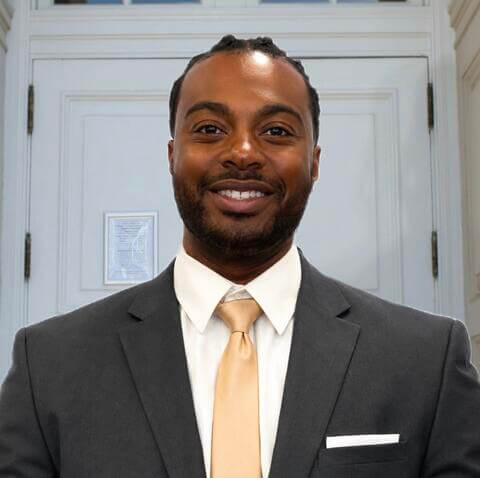
Isaiah Waiters, originally from Cleveland, Ohio, graduated from Howard University with a Bachelor of Science in Nutritional Science. He has now returned to the Mecca to complete his medical degree at Howard University's College of Medicine. With years of research experience, his most prominent work includes investigating the mitochondrial fission protein, dynamin-related protein 1, seeking to uncover the underlying mechanisms that drive neurodevelopmental diseases and tumor growth.
Isaiah firmly believes in strengthening the bridge between laboratory research and clinical medicine. He deeply values not only the hard science but also the human connection required to uplift and provide comprehensive care to the communities he will one day serve.
Research Philosophy: Impact and scientific discovery are both exponential; touching one life, or uncovering one tiny molecule, can create a ripple effect that ultimately saves thousands. I believe in bridging lab bench breakthroughs with clinical care to make that exponential difference for patients.
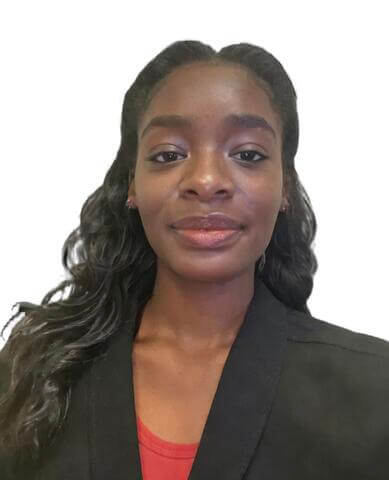
Mia Rivers, a DMV native that graduated from Howard University with a Bachelor of Science in Biology. After completing her post-baccalaureate at the National Institutes of Health and the Children's National Innovation & Research Campus with over 8,000 hours of research experience, she has also returned to Howard University's College of Medicine. Her work has focused on genetic factors and metabolic pathways in Alzheimer's Disease, epilepsy, and pediatric gliomas.
Research Philosophy: Making research and scientific language accessible to medical staff and the public through transparency and education. Our students are representatives of the scientific community and can affect whether research is perceived positively by patients. Therefore, our medical students should have ample opportunity to conduct hands-on epidemiological, translational, basic science, and clinical research so they are equipped to communicate novel research and therapies to their patients, improving public health.
Howard University College of Medicine Resourse Available to you!
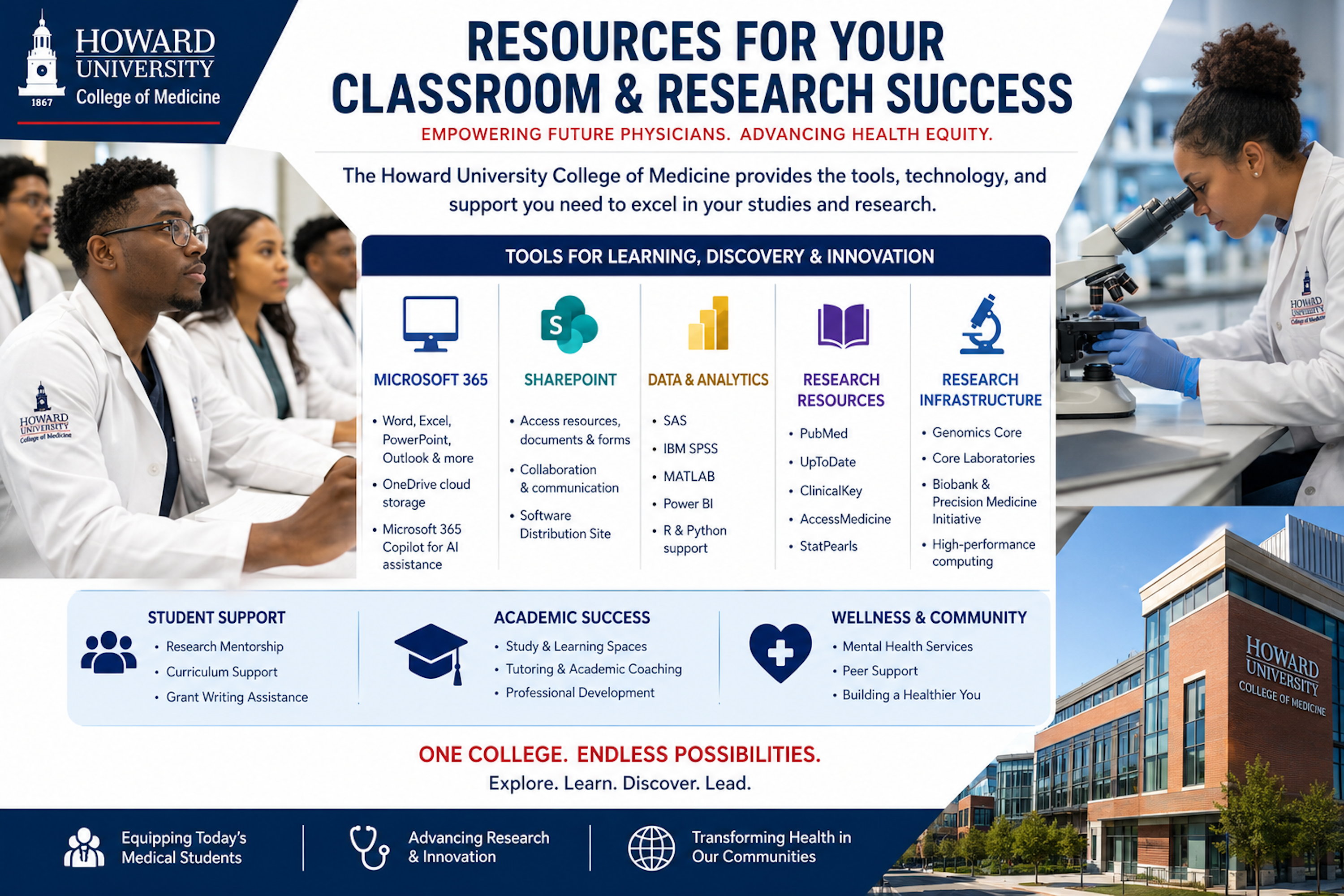
How to Install CoPilot and Office 365 Apps
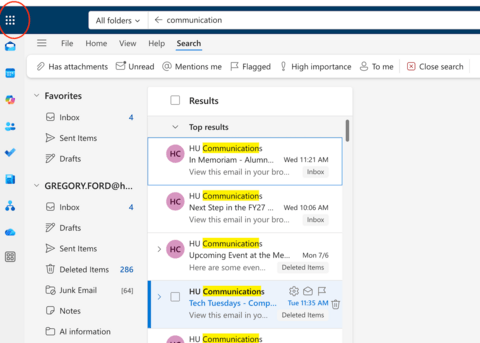
| Step 1. Open the Microsoft Office 365 App Launcher
|
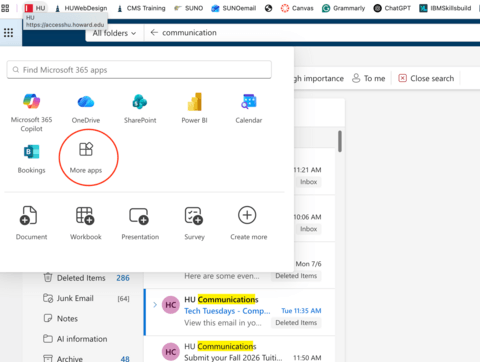
| Step 2. After clicking the App Launcher:
|
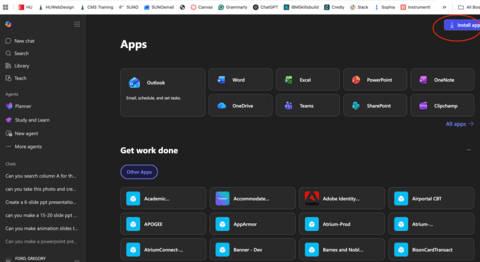
| Step 3. The Microsoft 365 Apps page will open. Here you can access Microsoft applications including:
Step 4. Install Microsoft Office Apps In the upper-right corner of the Apps page: 1. Click Install apps.
|
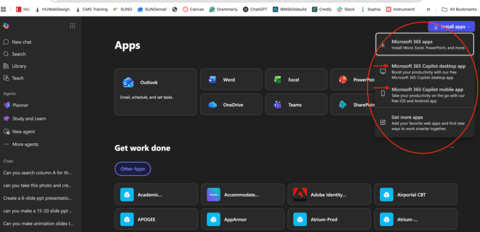
| Step 5. Choose What to Install Select Install apps. (a menu will appear with several options) |
How to Install SAS and SPSS Softwares
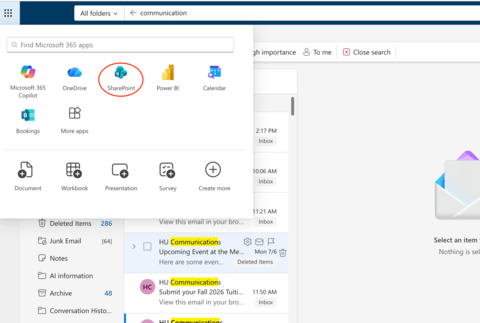
| Step 1. Open SharePoint From the Microsoft 365 App Launcher:
|
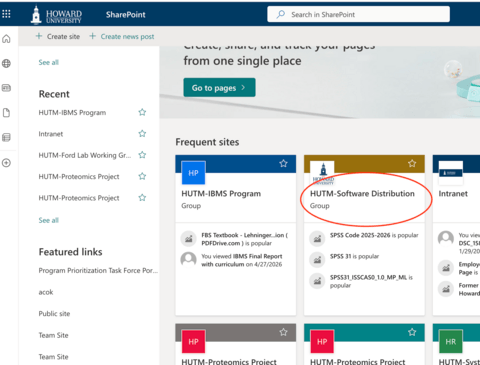
| Step 2. Open the Software Distribution Site Once SharePoint opens:
|
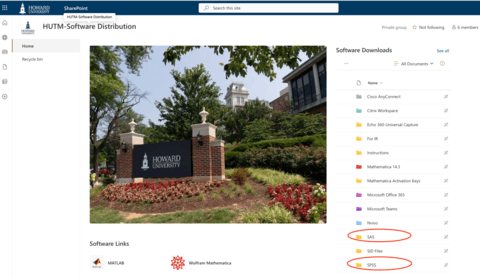
| Step 3. Download SAS or SPSS The Software Distribution page contains software
|