
First Year Medical Student (M1) Research
The Office of Research is excited to support you throughout your medical education. Research is an integral part of your training, providing opportunities to develop critical thinking, advance scientific discovery, and improve patient care. This website offers information, resources, and opportunities to help you explore research, connect with mentors, and succeed in your scholarly pursuits. We look forward to supporting your journey as a physician-scientist and future leader in medicine.
Howard University College of Medicine Resourse Available to you!
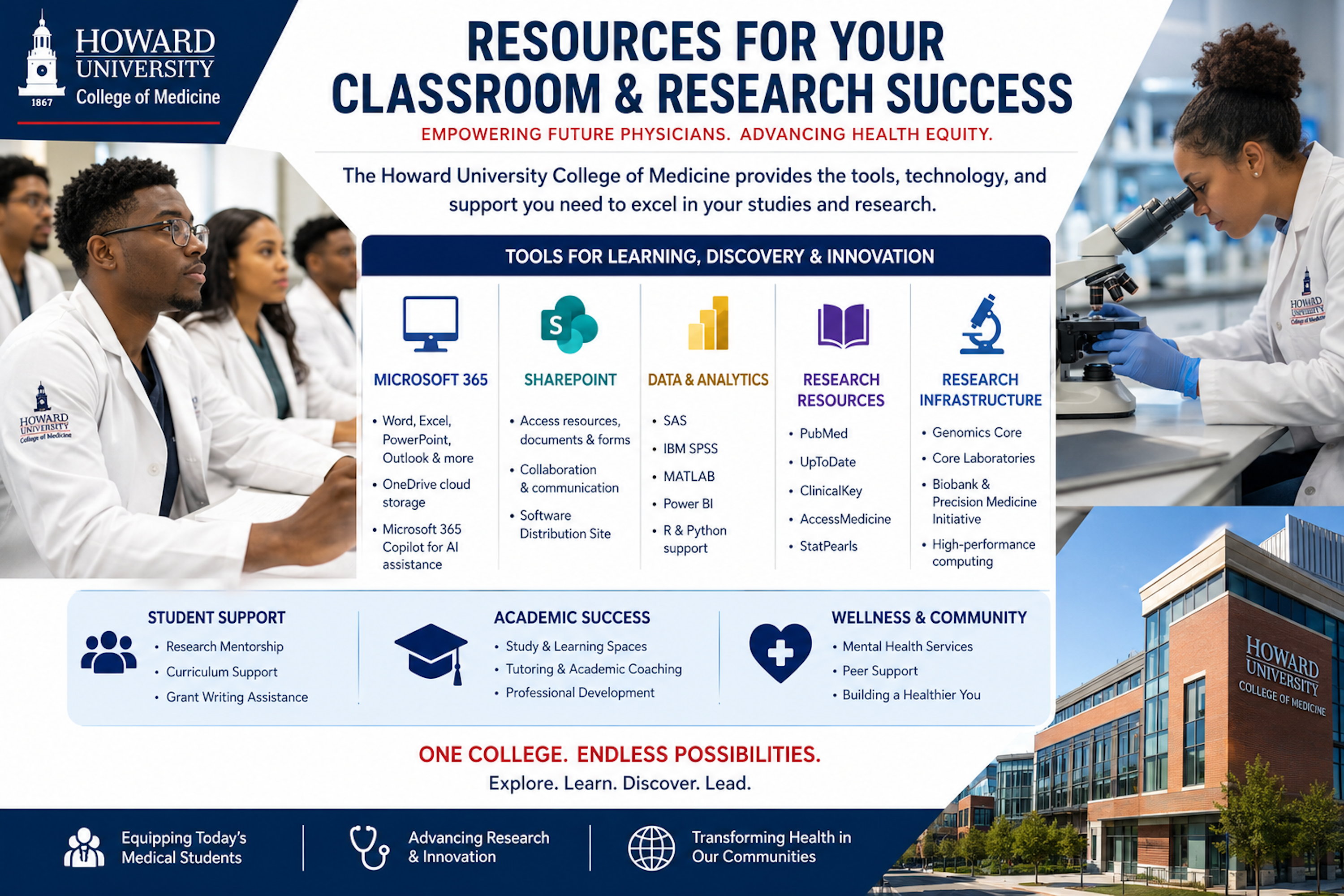
How to Install CoPilot and Office 365 Apps
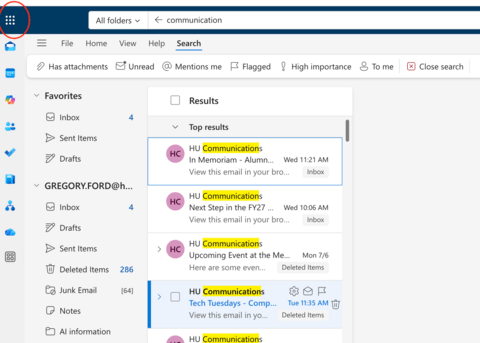
| Step 1. Open the Microsoft Office 365 App Launcher
|
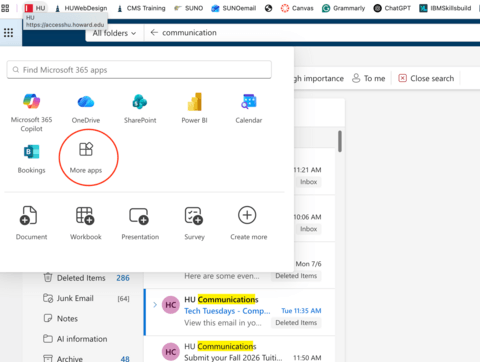
| Step 2. After clicking the App Launcher:
|
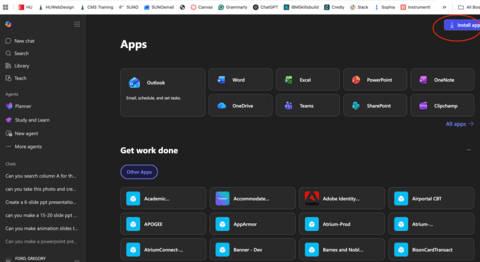
| Step 3. The Microsoft 365 Apps page will open. Here you can access Microsoft applications including:
Step 4. Install Microsoft Office Apps In the upper-right corner of the Apps page: 1. Click Install apps.
|
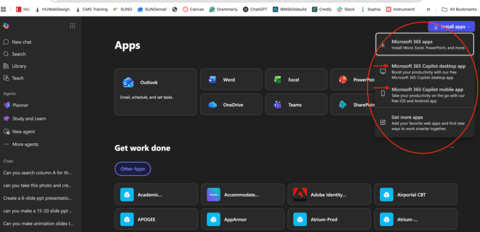
| Step 5. Choose What to Install Select Install apps. (a menu will appear with several options) |
How to Install SAS and SPSS Softwares
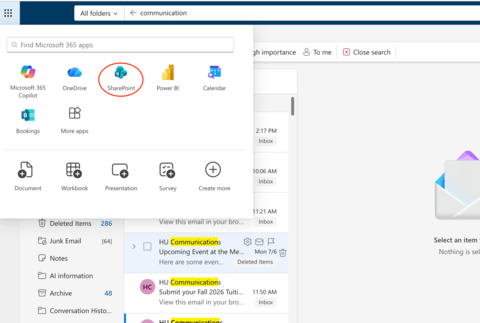
| Step 1. Open SharePoint From the Microsoft 365 App Launcher:
|
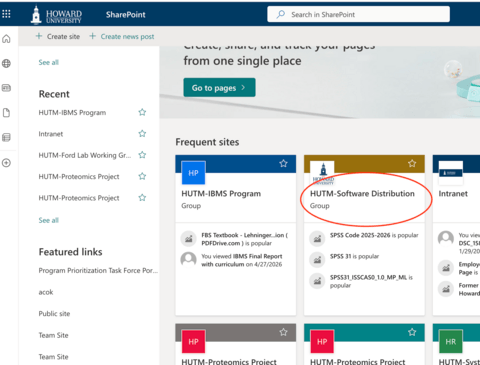
| Step 2. Open the Software Distribution Site Once SharePoint opens:
|
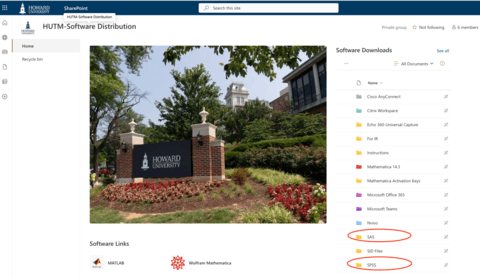
| Step 3. Download SAS or SPSS The Software Distribution page contains software
|